
Cartxis Mobile
Free, open-source Flutter ecommerce app for iOS and Android — browse products, checkout, manage orders, and sync with your Cartxis backend API.
Flutter 3.x · Dart 3.x · iOS & Android · REST API · MIT License · Requires Cartxis backend
Backend required
The mobile app cannot run standalone. Install and configure the Cartxis platform first, then connect the app to your API base URL.
Native mobile commerce for your store
Cartxis Mobile is a Flutter app that connects to your Cartxis backend — same products, checkout flow, and payment gateways, configured entirely from the admin panel.
Full shopping experience on mobile
Browse & search
Product catalog by category with featured, new arrivals, on-sale sections, search, and filtering.
Cart & checkout
Add items, manage addresses, choose payment gateways, and complete orders with shipping calculation.
Account & wishlist
Register, login, profile with avatar, order history, wishlist, and secure in-app account deletion.
Admin-driven config
Payment methods, logos, and store settings fetched from the backend — no app update needed to toggle gateways.
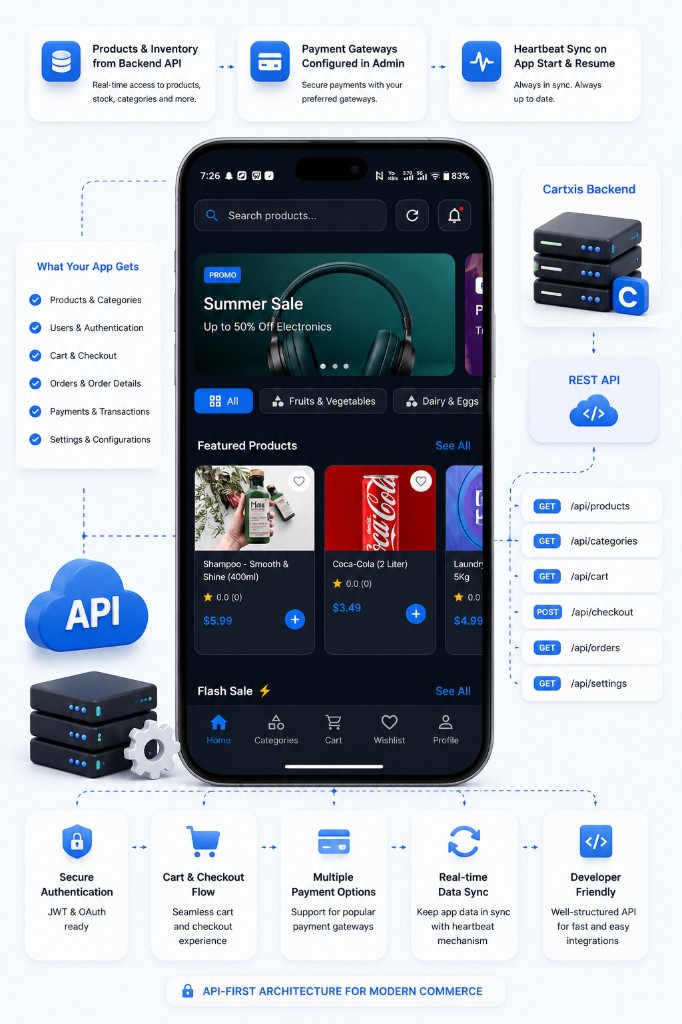
Connects to your Cartxis store
The mobile app requires a running Cartxis web backend. All products, users, orders, payments, and settings come from the REST API — set up the platform first, then point the app at your API URL.
- Products and inventory from backend API
- Payment gateways configured in admin
- Heartbeat sync on app start and resume
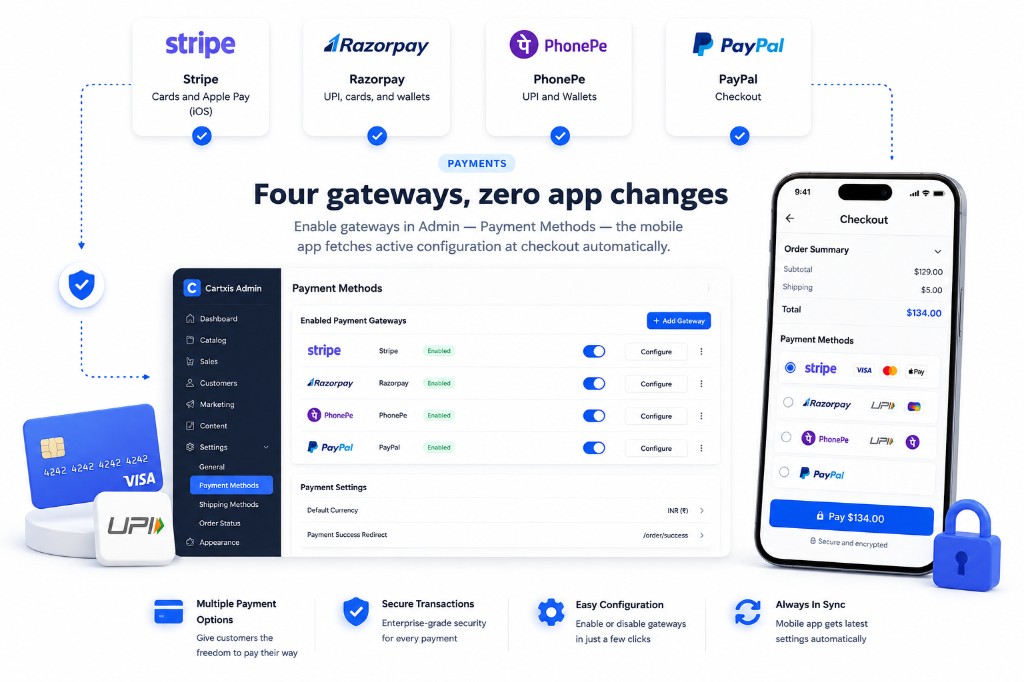
Four gateways, zero app changes
Stripe, Razorpay, PhonePe, and PayPal are supported through the backend. Enable gateways in Admin → Payment Methods — the mobile app fetches active configuration at checkout automatically.
- Stripe cards and Apple Pay (iOS)
- Razorpay UPI, cards, and wallets
- PhonePe UPI and PayPal checkout
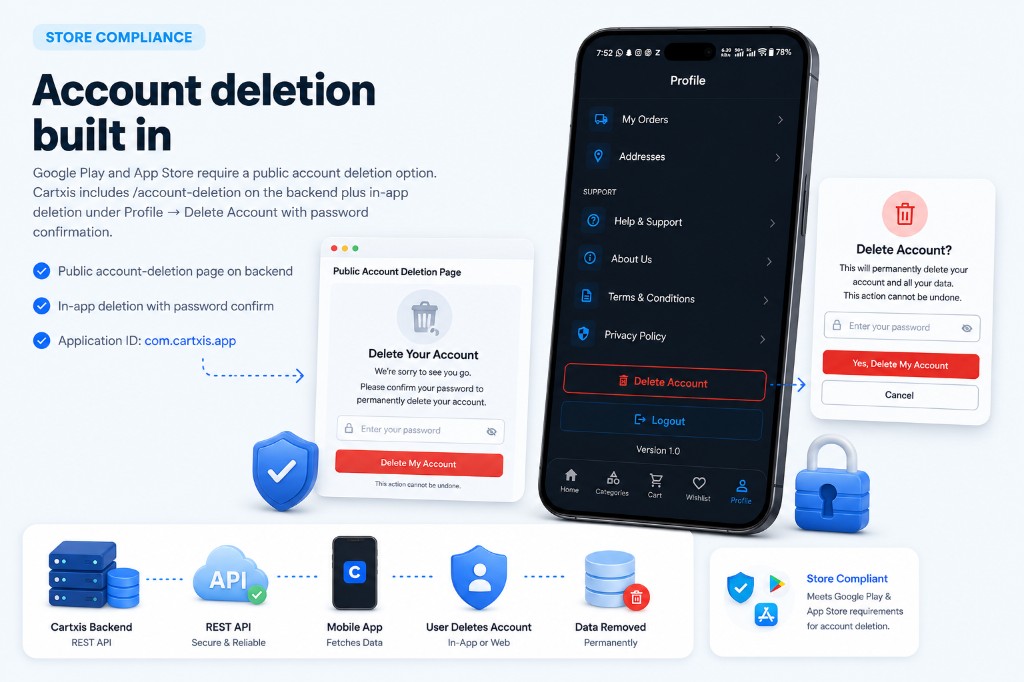
Account deletion built in
Google Play and App Store require a public account deletion option. Cartxis includes /account-deletion on the backend plus in-app deletion under Profile → Delete Account with password confirmation.
- Public account-deletion page on backend
- In-app deletion with password confirm
- Application ID: com.cartxis.app
Get started in minutes
Set up the backend first, then clone and configure the Flutter app.
Set up backend
Install Cartxis platform first — composer create-project or git clone, then php artisan cartxis:install.
Clone mobile repo
git clone https://github.com/wontonee/cartxis-mobile.git and run flutter pub get.
Configure API URL
Update lib/core/config/api_config.dart with your backend base URL and isProduction flag.
Install iOS pods
cd ios && pod install — required for iOS builds.
Run & publish
flutter run for development; flutter build appbundle / ipa for store release.
git clone https://github.com/wontonee/cartxis-mobile.gitflutter pub get && flutter runAPI-driven mobile commerce
The Flutter app uses a heartbeat system to stay in sync with your Cartxis backend. Authenticated endpoints use Bearer tokens; payment and product data always flows from the server.
Need the backend?
Cartxis Mobile connects to the Cartxis Laravel platform for products, orders, payments, and admin configuration.