
Paystack Gateway
Accept payments across Africa in your Bagisto store — cards, bank transfer, USSD, mobile money, and QR codes via Paystack for Nigeria, Ghana, South Africa, Kenya, and more.
NG · GH · ZA · KE · Cards · USSD · Mobile money · Paystack API keys · NGN, GHS, ZAR, KES, USD
Paystack payments for Bagisto
Built by Wontonee for Bagisto Laravel stores — ng · gh · za · ke · cards · ussd · mobile money with admin configuration, secure payment handling, and a checkout experience your customers trust.
Everything for Paystack checkout
Pan-African coverage
Accept payments from Nigeria, Ghana, South Africa, Kenya, and more across the African continent.
Multiple payment methods
Cards (Visa, Mastercard, Verve), bank transfer, USSD, mobile money, bank account, and QR codes.
Multi-currency support
NGN, GHS, ZAR, KES, and USD with automatic kobo/cents conversion handled by the gateway.
Secure verification
Server-side transaction verification via Paystack API — secret keys never exposed on the frontend.
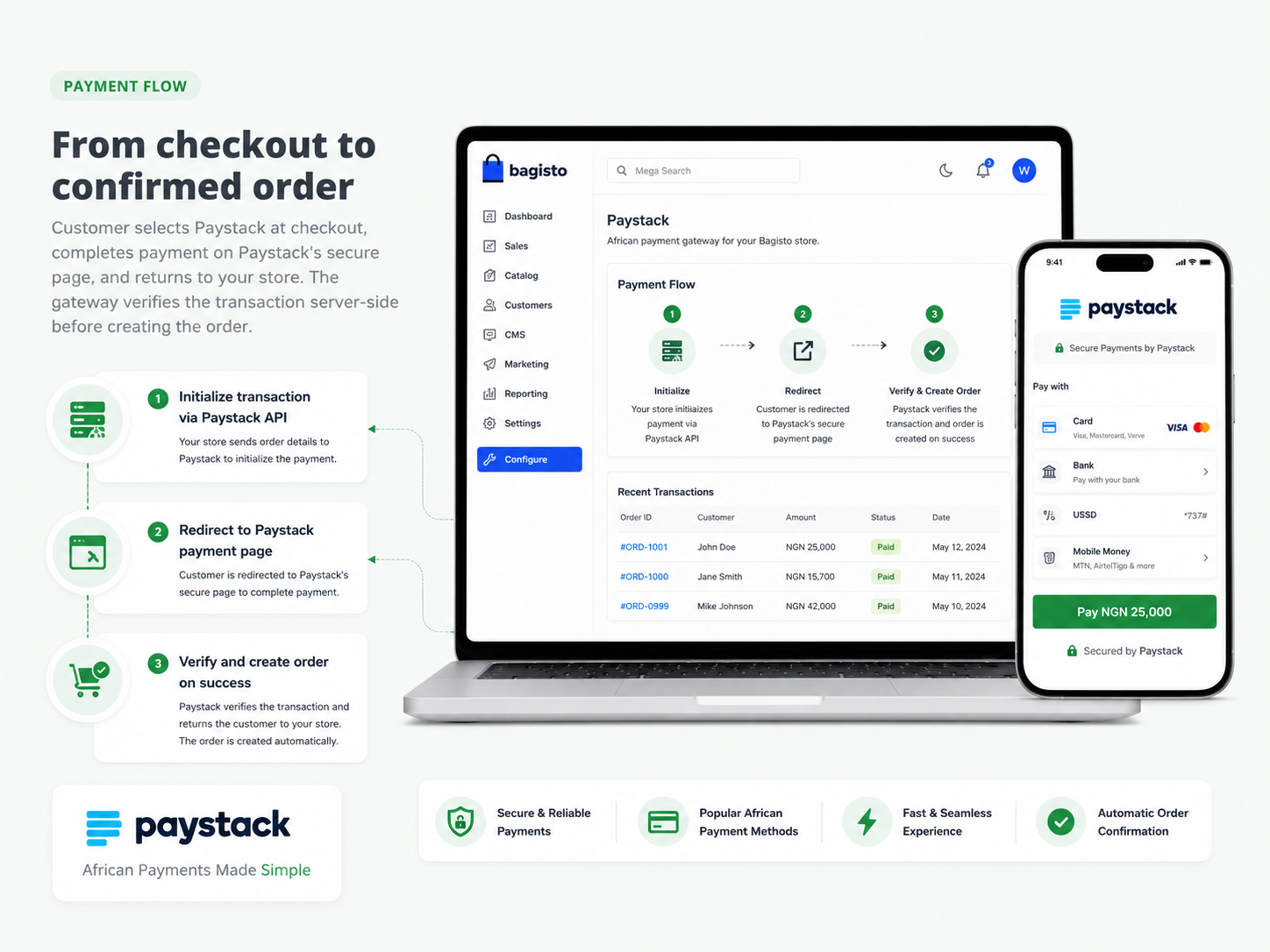
From checkout to confirmed order
Customer selects Paystack at checkout, completes payment on Paystack's secure page, and returns to your store. The gateway verifies the transaction server-side before creating the order.
- Initialize transaction via Paystack API
- Redirect to Paystack payment page
- Verify and create order on success
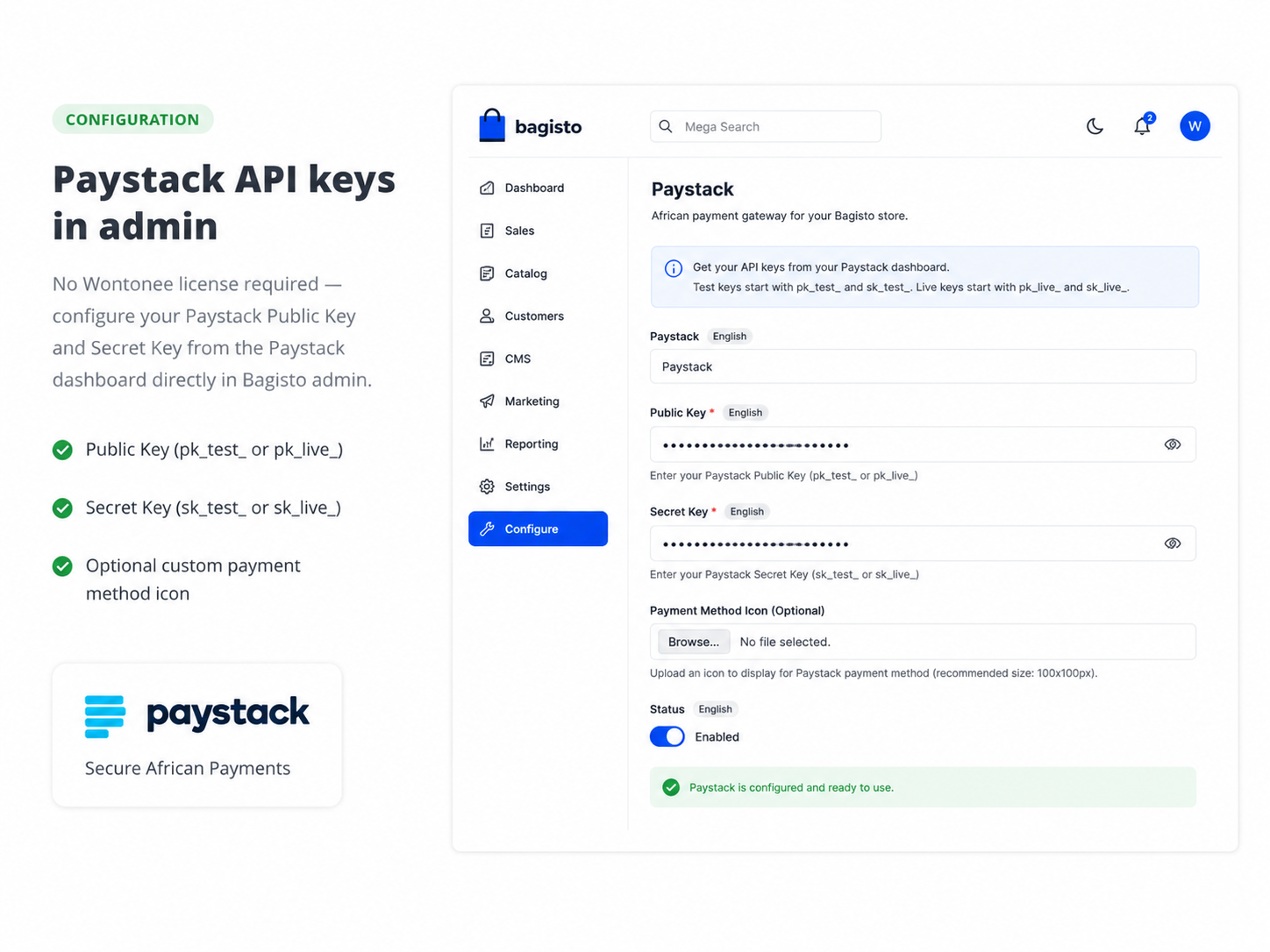
Paystack API keys in admin
No Wontonee license required — configure your Paystack Public Key and Secret Key from the Paystack dashboard directly in Bagisto admin.
- Public Key (pk_test_ or pk_live_)
- Secret Key (sk_test_ or sk_live_)
- Optional custom payment method icon
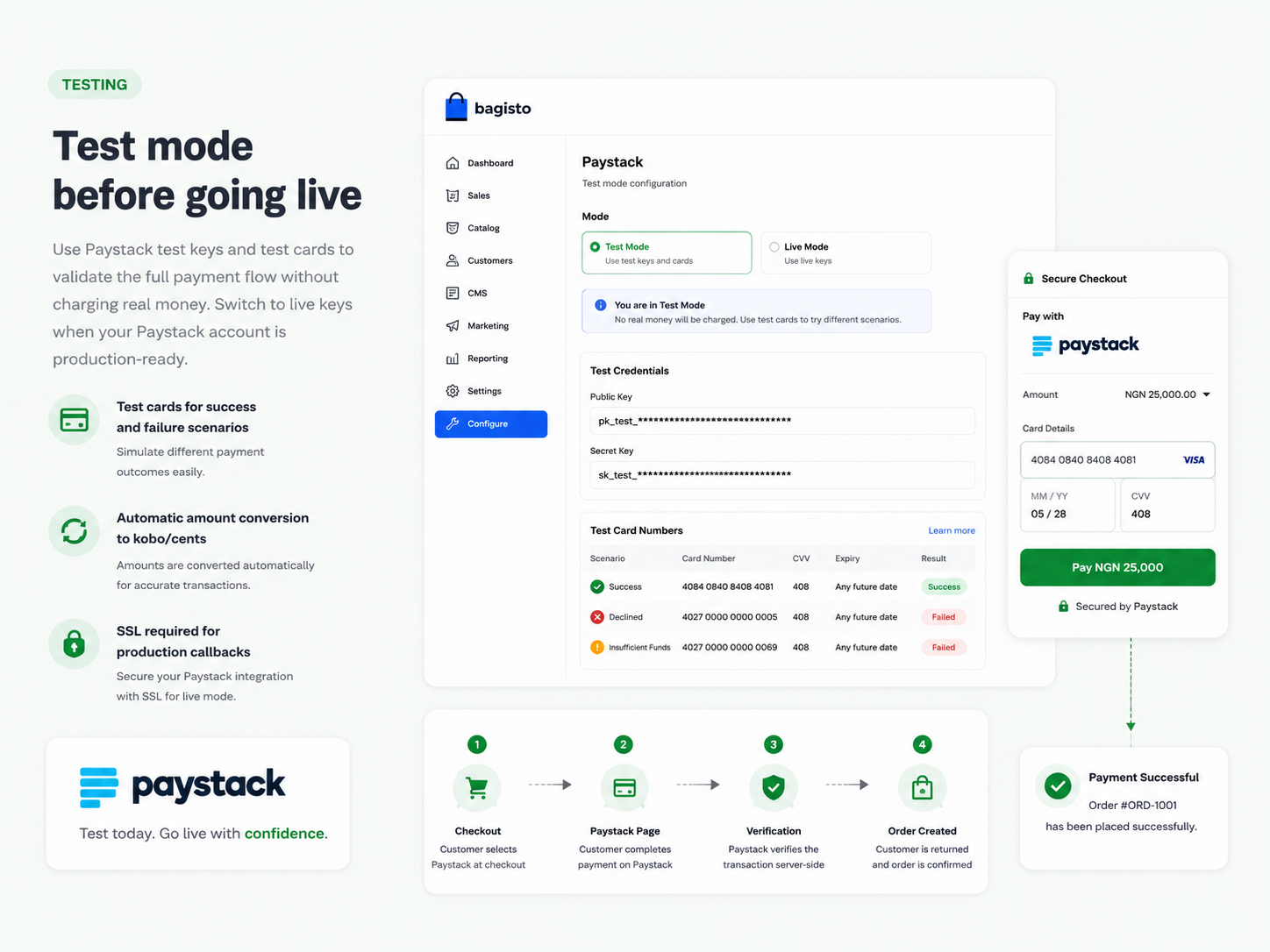
Test mode before going live
Use Paystack test keys and test cards to validate the full payment flow without charging real money. Switch to live keys when your Paystack account is production-ready.
- Test cards for success and failure scenarios
- Automatic amount conversion to kobo/cents
- SSL required for production callbacks
Get started in minutes
Install via Composer, configure in Bagisto admin, and accept your first payment.
Install via Composer
Run composer require wontonee/paystack in your Bagisto project.
Publish assets
Run php artisan vendor:publish --tag=paystack-assets.
Clear cache
Run config:cache, route:cache, and optimize:clear.
Add Paystack keys
Copy Public and Secret keys from Paystack Dashboard → Settings → API Keys & Webhooks.
Enable & test
Enable Paystack under Configuration → Payment Methods and test with Paystack test cards.
composer require wontonee/paystackphp artisan vendor:publish --tag=paystack-assetsPaystack API keys
Get your Public Key and Secret Key from the Paystack dashboard. Use test keys (pk_test_ / sk_test_) for development and live keys for production.
- No Wontonee license required
- Server-side transaction verification
- SSL required for production callbacks