
PhonePe Gateway
PhonePe payment gateway for Bagisto with OAuth 2.0 — UPI, cards, net banking, and wallets with sandbox and production modes for Indian stores.
UPI · Cards · Net banking · Wallets · OAuth 2.0 · Sandbox & live
PhonePe payments for Bagisto
Accept PhonePe checkout in your Bagisto Laravel store — secure OAuth tokens, automatic paisa conversion, payment verification, and admin controls for Client ID, Client Secret, environment, and checkout type.
Everything for PhonePe checkout
Multiple payment methods
UPI, cards, net banking, and wallets through PhonePe’s checkout experience.
OAuth 2.0 authentication
Secure token-based API auth with automatic expiry handling for sandbox and production.
Order & amount handling
Seamless Bagisto order integration with automatic rupee-to-paisa conversion.
Admin configuration
Configure Client ID, Client Secret, environment, checkout type, icons, and status from Bagisto admin.
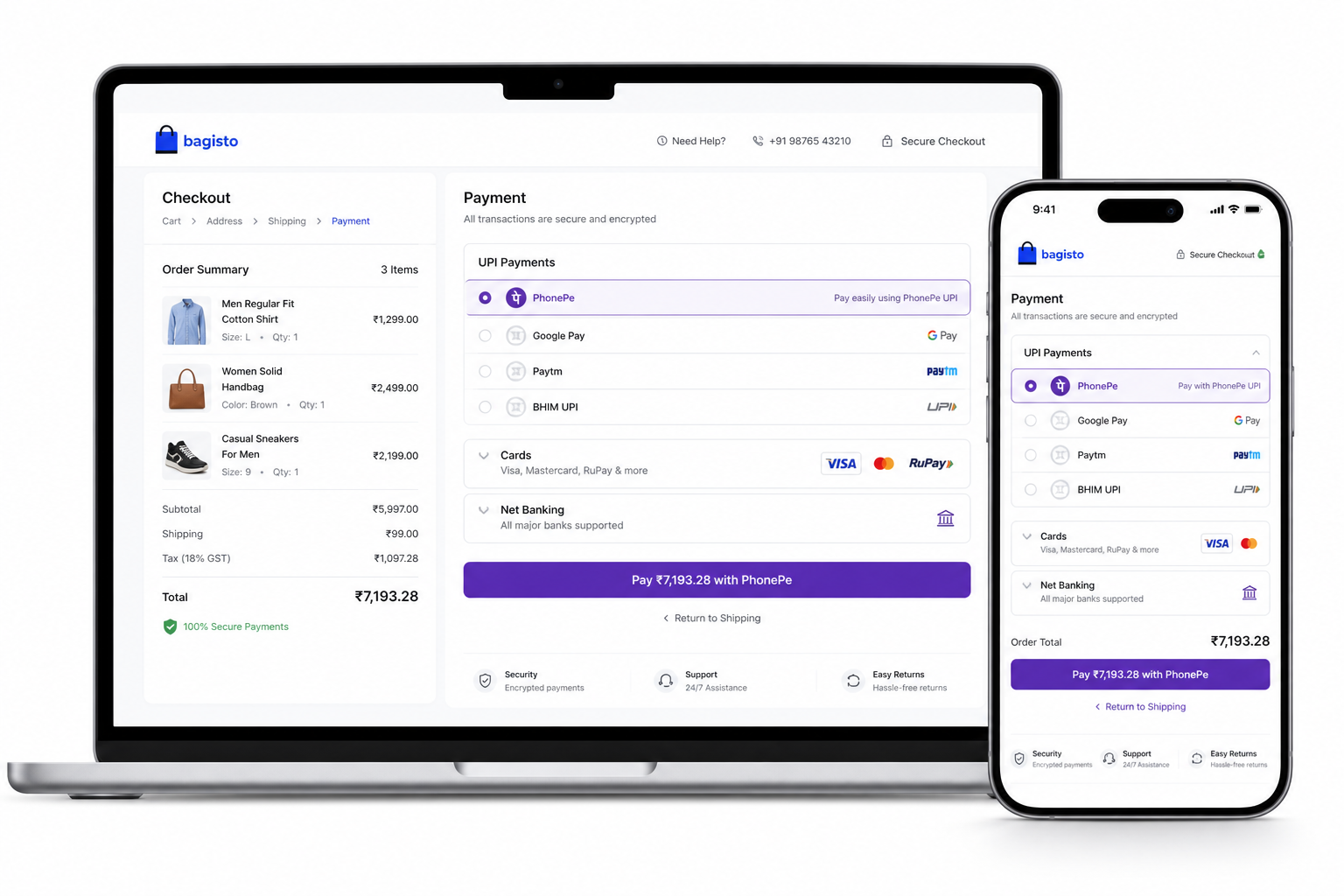
Redirect customers to PhonePe securely
From place order to PhonePe payment page and back — OAuth token, payment creation, callback, and server-side verification keep the flow reliable.
- Sandbox and production endpoints
- Payment status verification
- Clear pending, completed, and failed states
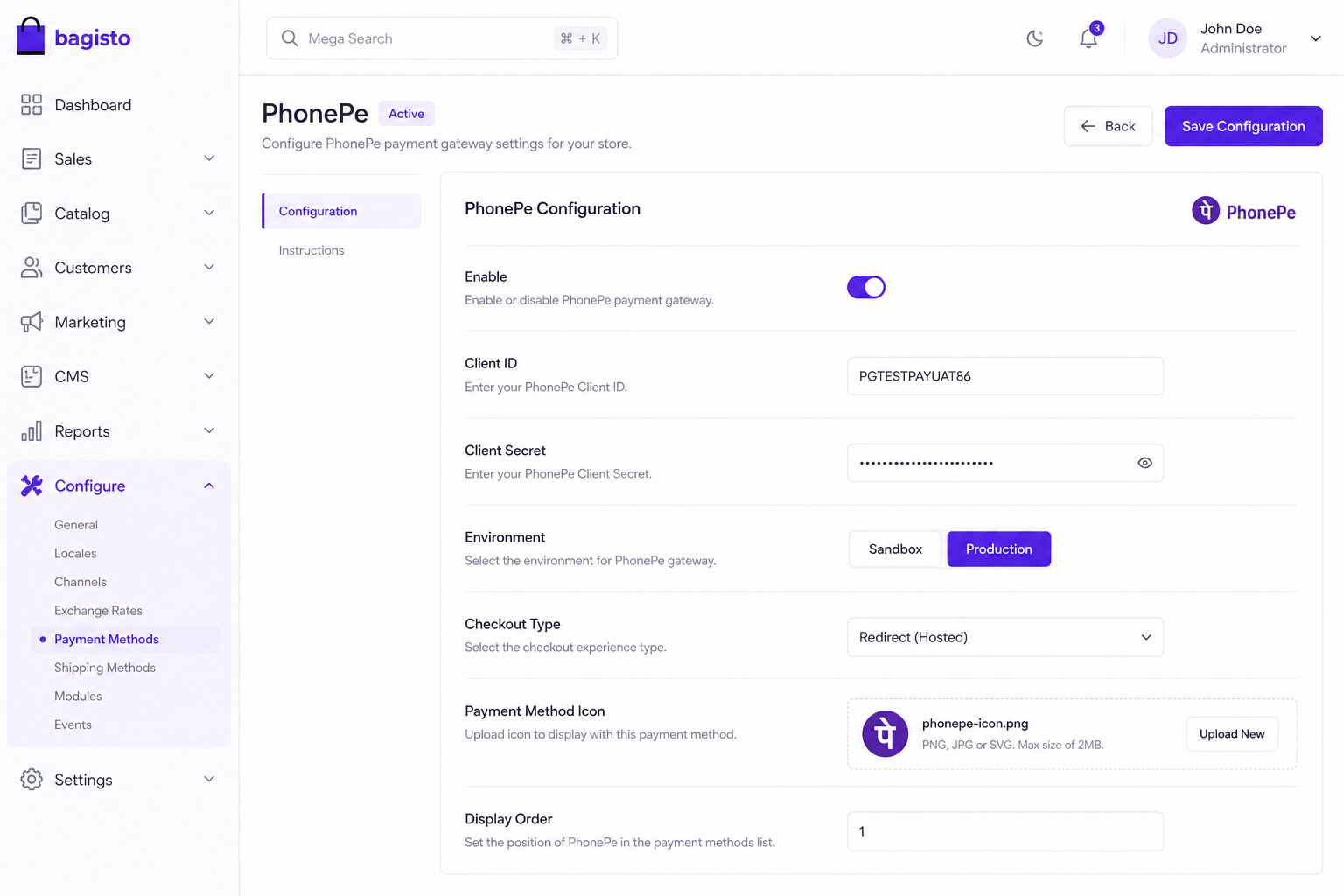
Configure once in Bagisto
Enable PhonePe under Configuration → Sales → Payment Methods. Set credentials, environment, and optional payment method icon.
- Client ID and Client Secret from PhonePe Business
- Standard or Express checkout type
- Custom payment method icon upload
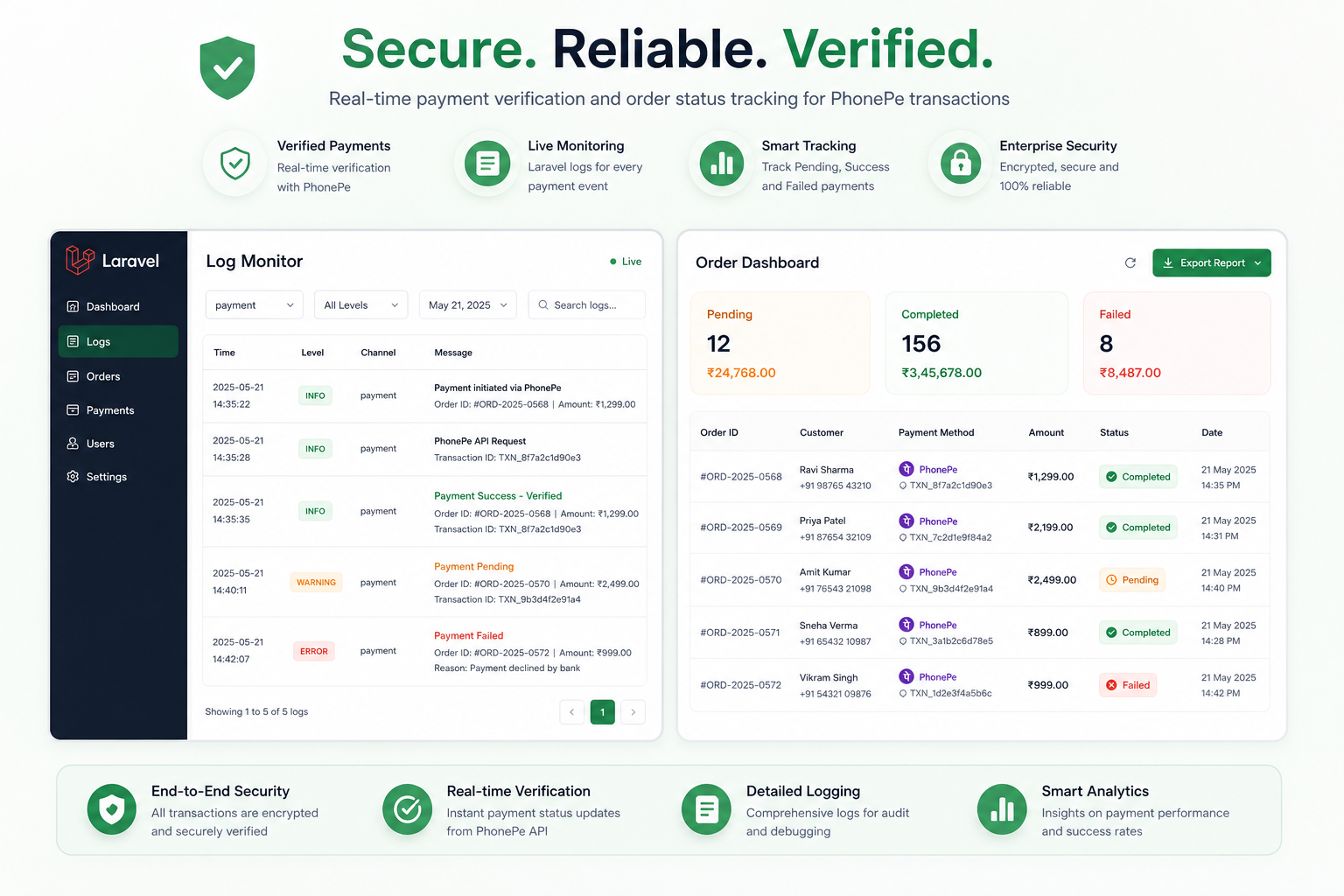
Logging and session safety
Comprehensive logging, secure session handling for payment data, and order expiry controls help you debug and recover from edge cases.
- Detailed Laravel logs for troubleshooting
- Configurable order expiry window
- Minimum order amount handling (₹1)
Get started in minutes
Install via Composer, publish assets, and configure PhonePe credentials in Bagisto admin.
Get PhonePe credentials
Copy Client ID and Client Secret from the PhonePe Business Developer Settings.
Install via Composer
Run composer require wontonee/phonepe in your Bagisto project.
Publish assets
Run php artisan vendor:publish --tag=phonepe-assets and clear caches.
Configure in admin
Enable PhonePe under Configuration → Sales → Payment Methods and save credentials.
Test checkout
Use Sandbox mode first, then switch to Production when you’re ready to go live.
composer require wontonee/phonepephp artisan vendor:publish --tag=phonepe-assetsWontonee license required
Obtain a trial or paid license from myapps.wontonee.com, then enter your license key alongside PhonePe API credentials in Bagisto admin.
- License via myapps.wontonee.com
- Updates and priority support included
- Configure under Payment Methods in admin