
Shiprocket for Bagisto
Shiprocket shipping integration for Bagisto — sync orders, track shipments, and manage pickup locations and channel IDs from your admin panel.
Order sync · Tracking · Pickup locations · Channel IDs · License-secured
Shiprocket logistics in Bagisto
Connect your Bagisto store to Shiprocket — one of India’s leading shipping aggregators — so you can sync orders, track deliveries, and configure pickup and channel settings without leaving admin.
Shipping control inside Bagisto
Real-time order sync
Push Bagisto orders to Shiprocket so fulfillment stays in sync as customers place orders.
Track shipments in admin
Follow shipment statuses from Bagisto without jumping between dashboards.
Pickup & channel setup
Assign pickup addresses and Shiprocket channel IDs from dedicated admin menus.
License-based access
Secure the package with a free or paid license key from myapps.wontonee.com.
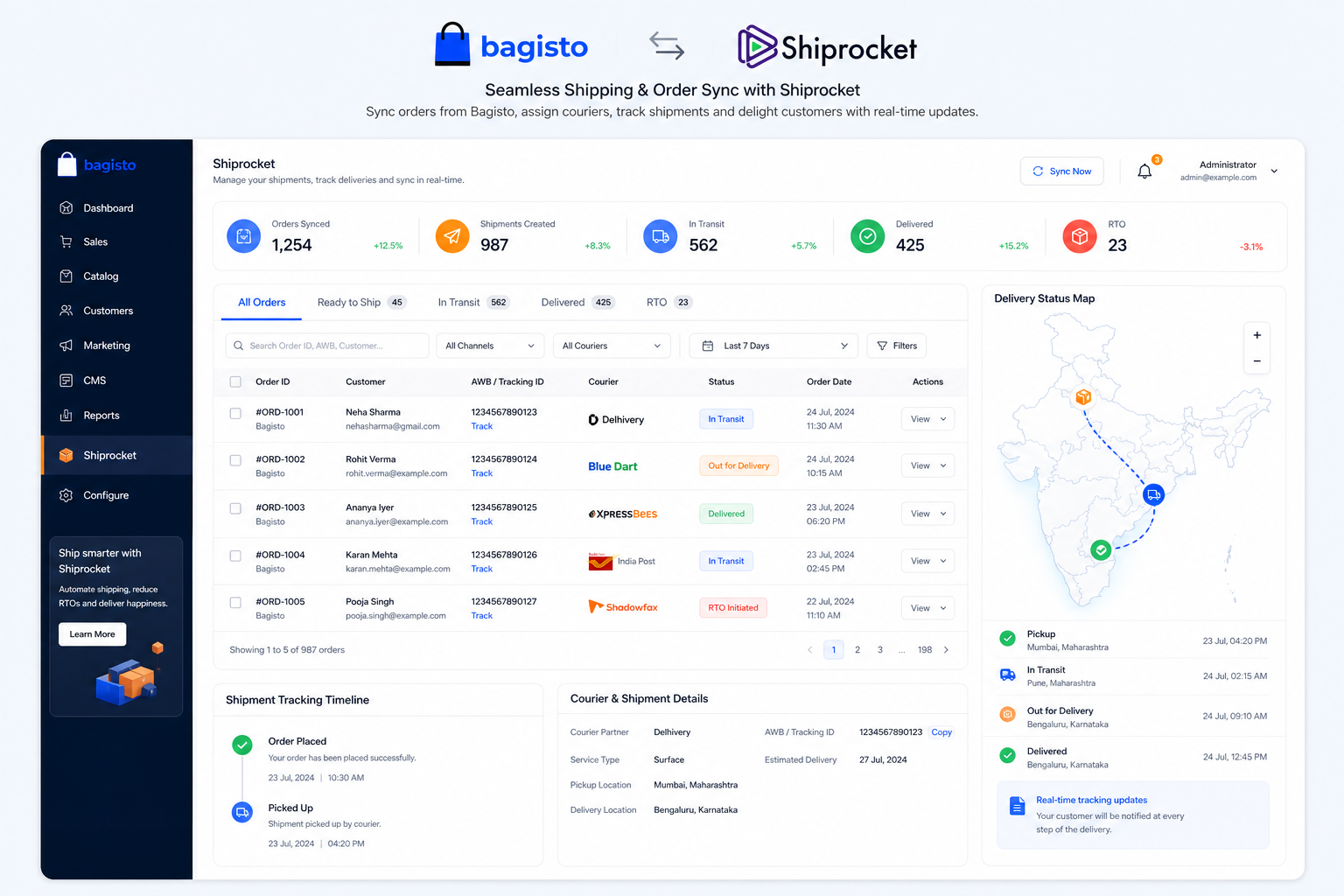
From order to Shiprocket in one flow
Keep ecommerce and logistics aligned — sync orders, then manage couriers and tracking through Shiprocket while your store stays on Bagisto.
- Real-time order syncing
- Shipment status visibility
- Built for Indian shipping networks
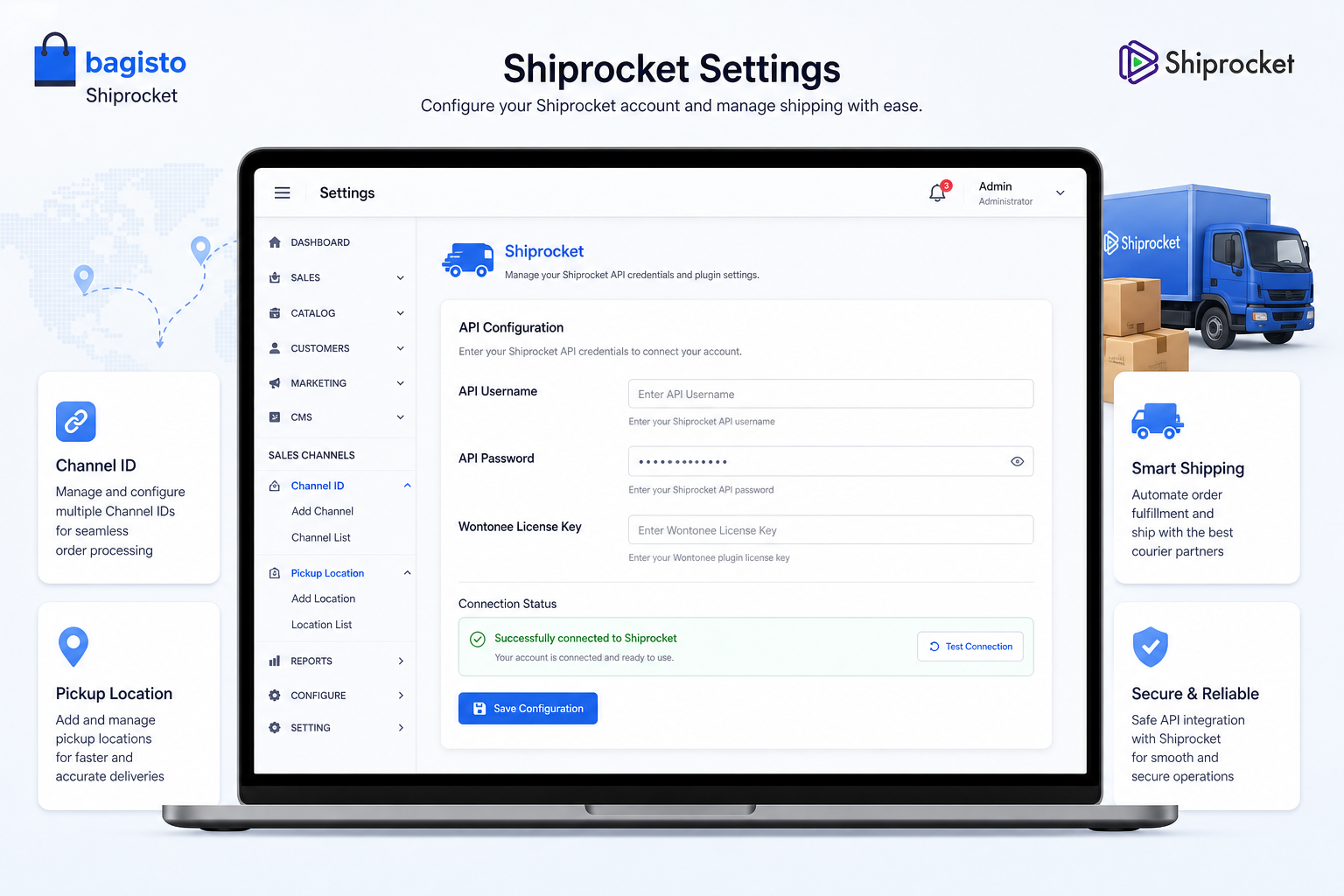
Configure credentials once
Enter Shiprocket API username and password plus your Wontonee license under Shiprocket → Settings, then add channel and pickup details.
- Shiprocket → Settings for API + license
- Channel menu for Channel ID
- Pickup menu for pickup locations
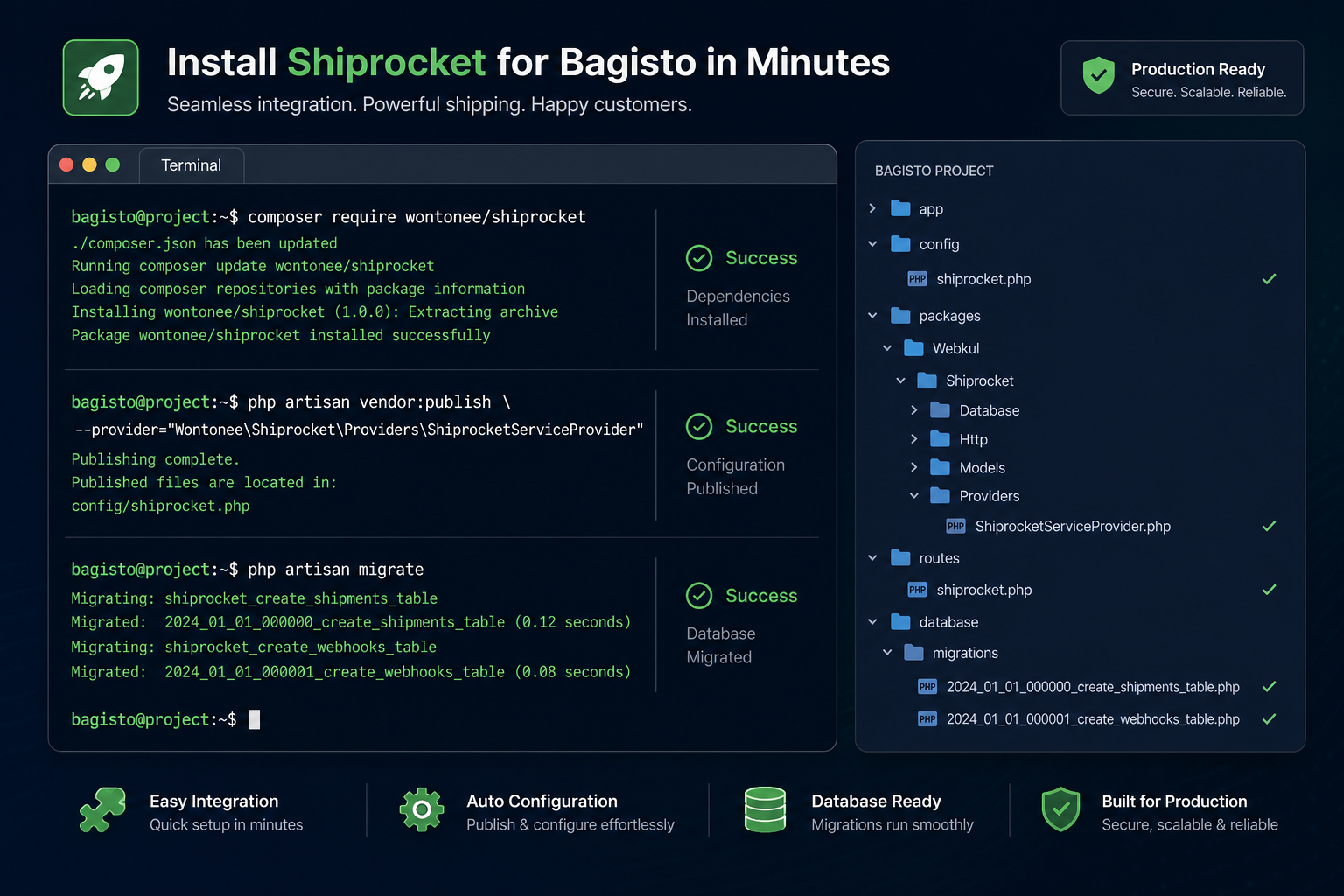
Composer package for Bagisto 2.2+
Install with Composer, publish assets, migrate, and optimize — then activate with a license from myapps.wontonee.com.
- composer require wontonee/shiprocket
- Publish shiprocket-assets
- Run migrate and optimize
Get started in minutes
Install the package, publish assets, migrate, then configure Shiprocket and your license in Bagisto admin.
Install via Composer
Run composer require wontonee/shiprocket in your Bagisto project.
Publish & migrate
Publish with --tag=shiprocket-assets, then run php artisan migrate and php artisan optimize.
Get a license key
Create a free or paid license at myapps.wontonee.com for Shiprocket integration.
Configure Shiprocket settings
In admin, open Shiprocket → Settings and enter API username, password, and your Wontonee license key.
Add channel & pickup
Set Channel ID under Shiprocket → Channel and add pickup locations under Shiprocket → Pickup.
composer require wontonee/shiprocketphp artisan vendor:publish --tag=shiprocket-assetsphp artisan migrateWontonee license required
Obtain a trial or paid license from myapps.wontonee.com, then enter your license key alongside Shiprocket API credentials in Bagisto admin.
- License via myapps.wontonee.com
- Updates and priority support included
- Configure under Payment Methods in admin