
VaultShift
All-in-one WordPress security — malware scanning, WAF, login protection, hardening, activity log, spam defense, and backup. Runs on your server. Free on WordPress.org.
WordPress 5.8+ · PHP 7.4+ · Optional VaultShift Cloud for signature sync & IP reputation
Purpose-built WordPress security
VaultShift replaces a stack of single-purpose security plugins with one integrated suite. Scan for malware, block attacks at the firewall, protect logins, harden your install, audit activity, stop spam, and restore from backup — all from a single dashboard on your own server.
Everything your WordPress site needs
Malware & file integrity scanner
Scheduled and on-demand scans with quarantine and WordPress core checksum verification.
Web Application Firewall
Must-use plugin loads early — learning, active, and paranoid modes with geo-blocking and rate limiting.
Login protection
Brute-force lockout, custom login URL, reCAPTCHA v3, and TOTP two-factor authentication.
WordPress hardening
Guided checklist to tighten file permissions, disable risky endpoints, and reduce attack surface.
Tamper-evident activity log
Immutable-style audit trail of admin actions, file changes, and security events on your server.
Spam protection
Honeypot fields, local heuristics, and optional cloud scoring for comment and form spam.
Backup & restore
Database and wp-content snapshots — scheduled or manual — with one-click restore.
Security dashboard
Central hub for security score, module status, scan results, and quick actions.
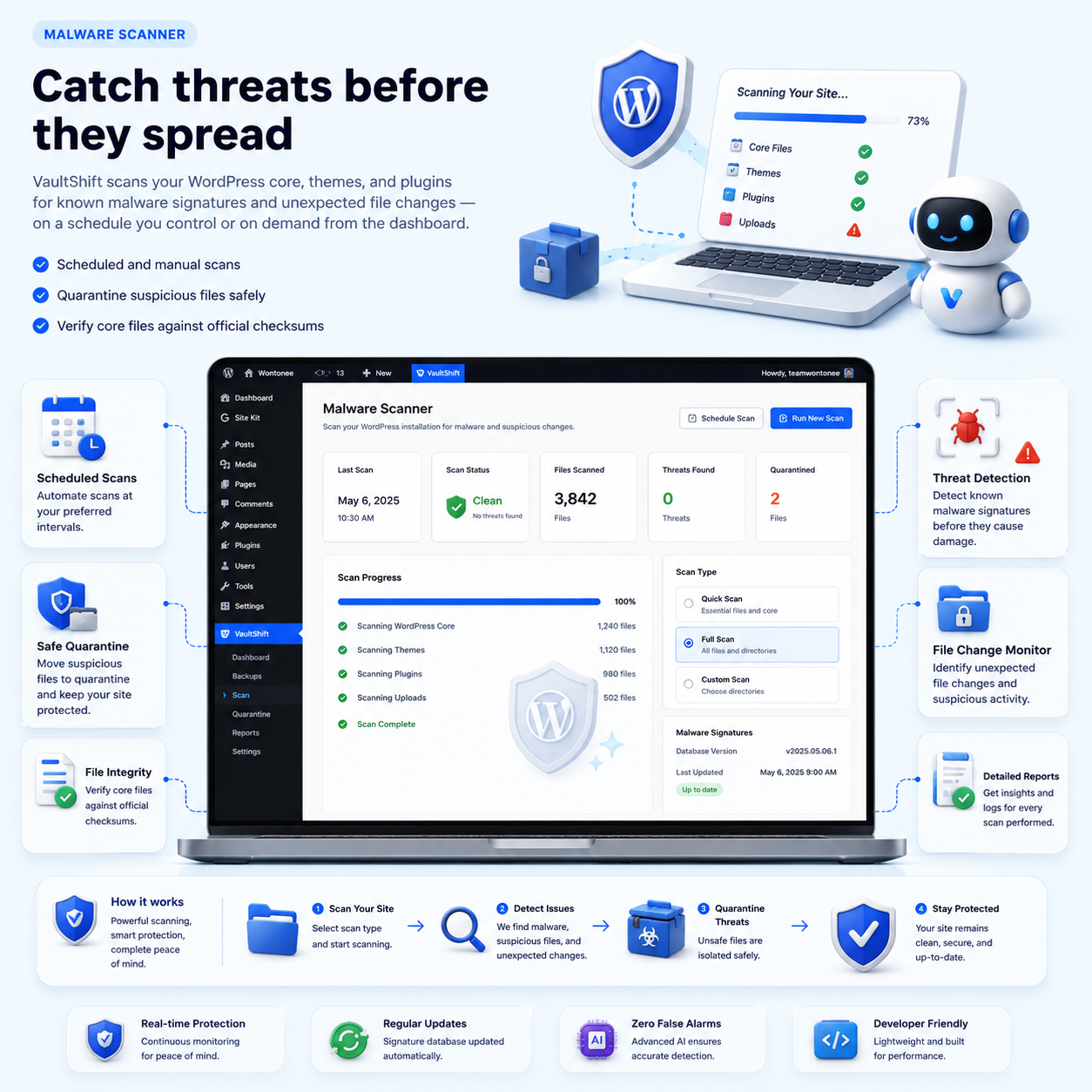
Catch threats before they spread
VaultShift scans your WordPress core, themes, and plugins for known malware signatures and unexpected file changes — on a schedule you control or on demand from the dashboard.
- Scheduled and manual scans
- Quarantine suspicious files safely
- Verify core files against official checksums
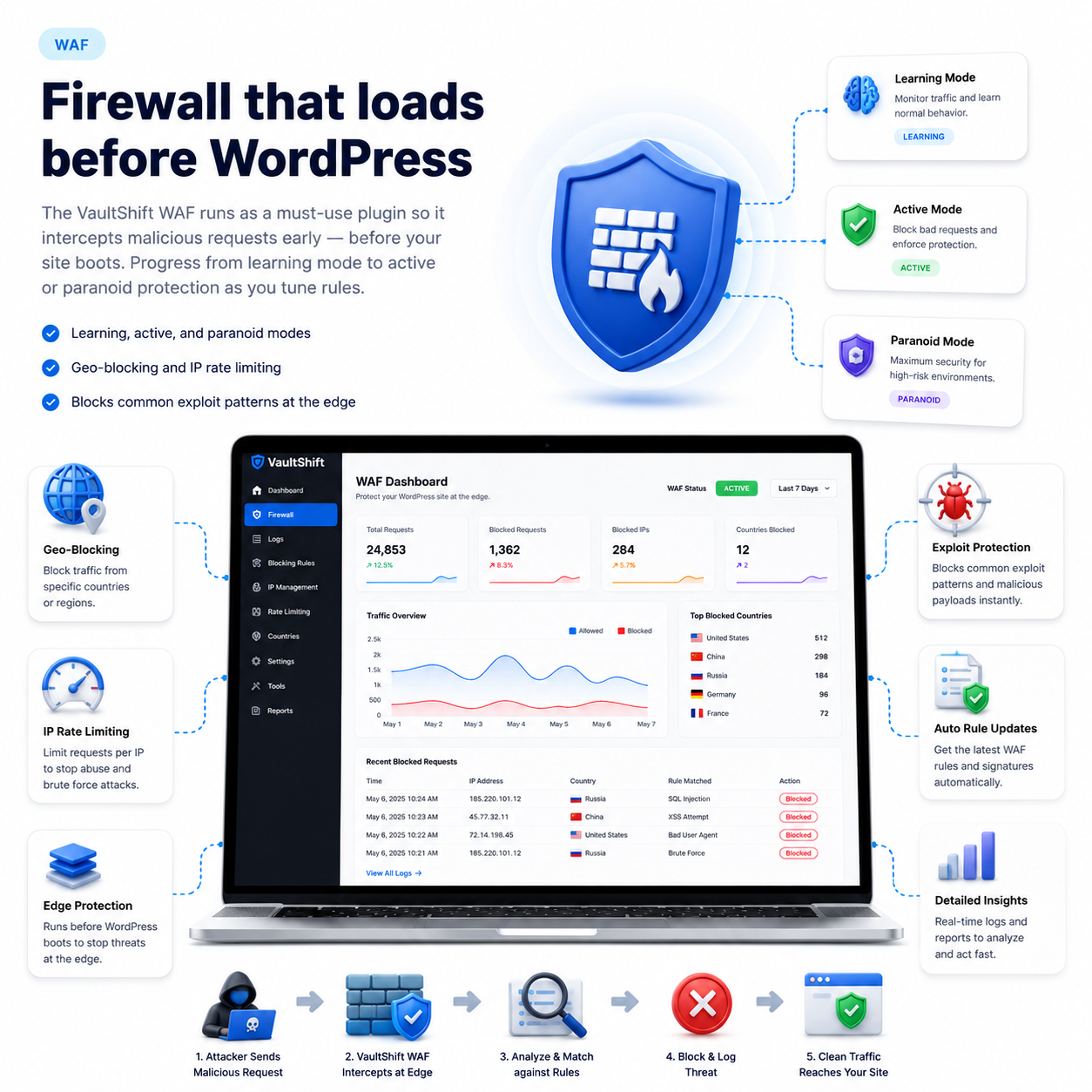
Firewall that loads before WordPress
The VaultShift WAF runs as a must-use plugin so it intercepts malicious requests early — before your site boots. Progress from learning mode to active or paranoid protection as you tune rules.
- Learning, active, and paranoid modes
- Geo-blocking and IP rate limiting
- Blocks common exploit patterns at the edge
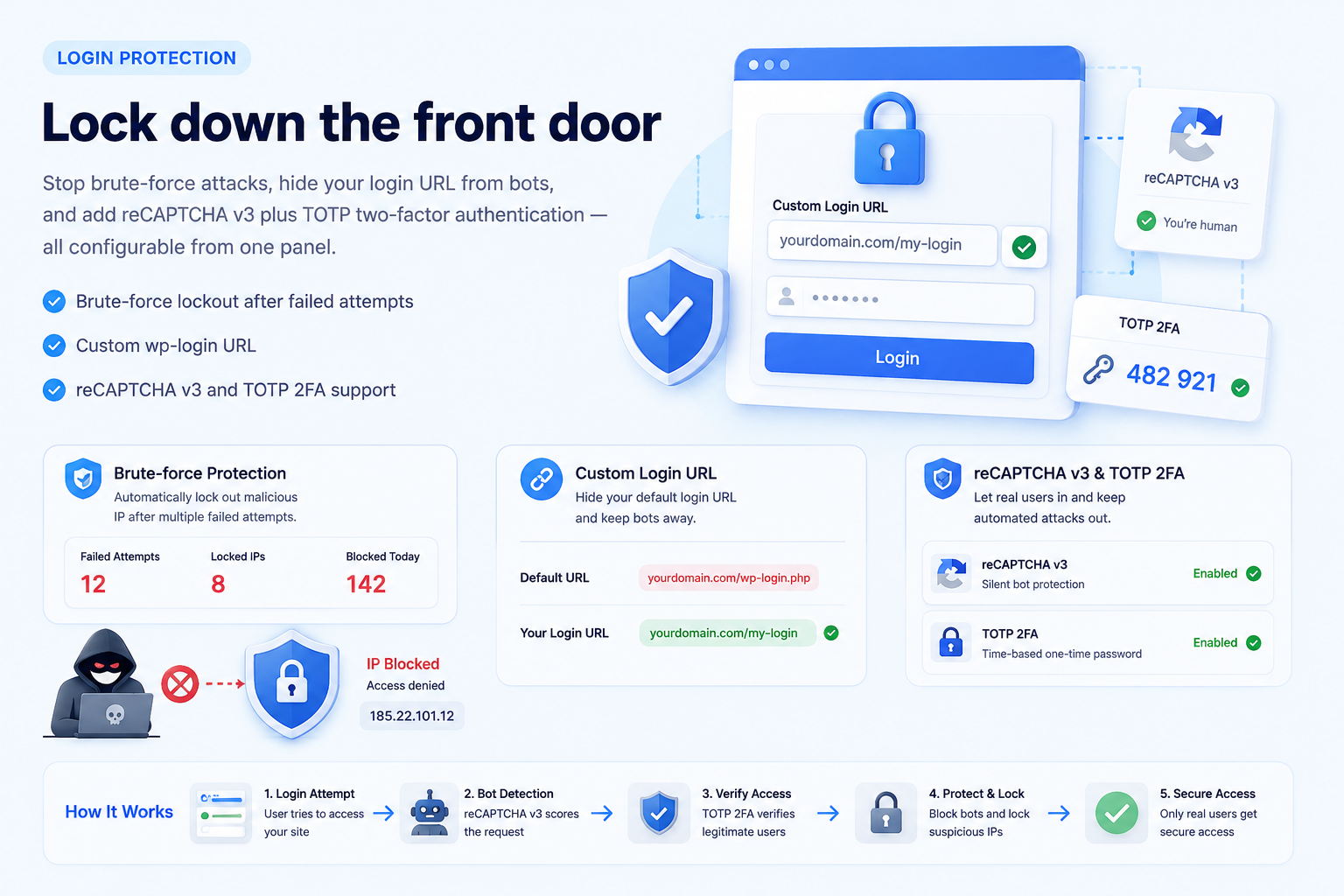
Lock down the front door
Stop brute-force attacks, hide your login URL from bots, and add reCAPTCHA v3 plus TOTP two-factor authentication — all configurable from one panel.
- Brute-force lockout after failed attempts
- Custom wp-login URL
- reCAPTCHA v3 and TOTP 2FA support
More protection built in
Hardening, auditing, spam defense, and disaster recovery — included with every install.
Hardening checklist
Step-by-step recommendations to disable file editing, restrict REST endpoints, and apply security best practices.
Activity log
Tamper-evident record of logins, option changes, and file modifications — stored locally on your server.
Spam defense
Honeypot traps and heuristic scoring block comment spam without sending data off-site unless Cloud is enabled.
Backup & restore
Full database and wp-content backups with scheduled runs and quick restore when something goes wrong.
On your server vs VaultShift Cloud
Core security runs locally with a Free key. Enable Cloud in Settings when you want signature sync, IP reputation, and enhanced spam scoring.
| Capability | On your server (Free key) | + VaultShift Cloud |
|---|---|---|
| Malware & integrity scanning | ||
| Web Application Firewall (WAF) | ||
| Login protection & 2FA | ||
| WordPress hardening checklist | ||
| Tamper-evident activity log | ||
| Local spam heuristics & honeypot | ||
| Database & wp-content backup | ||
| Malware signature sync | ||
| IP reputation feed | ||
| Cloud spam scoring |
How to install
Five steps from download to your first security scan.
Install the plugin
Upload to /wp-content/plugins/vaultshift/ or use Plugins → Add New → Upload Plugin.
Activate VaultShift
Enable the plugin from the WordPress Plugins screen.
Enter your key
Add a Free or Cloud key from myapps.wontonee.com in VaultShift settings.
Run your first scan
Open the VaultShift Dashboard and launch an integrity scan to establish a baseline.
Enable Cloud (optional)
Opt in to signature sync, IP reputation, and cloud spam scoring in Settings.
Your data stays on your server
VaultShift is designed to run where your WordPress site lives. Scans, firewall rules, activity logs, and backups are stored locally. VaultShift Cloud is opt-in — enable it only when you want synced malware signatures, IP reputation feeds, or cloud spam scoring.
- No cloud account required for core modules
- Free key activates all on-server features
- Cloud services toggled per site in Settings